English News Headline
Driving Licence Mobile Number Update: Check Your Details on Sarathi Before September 25
Full Telugu News Article
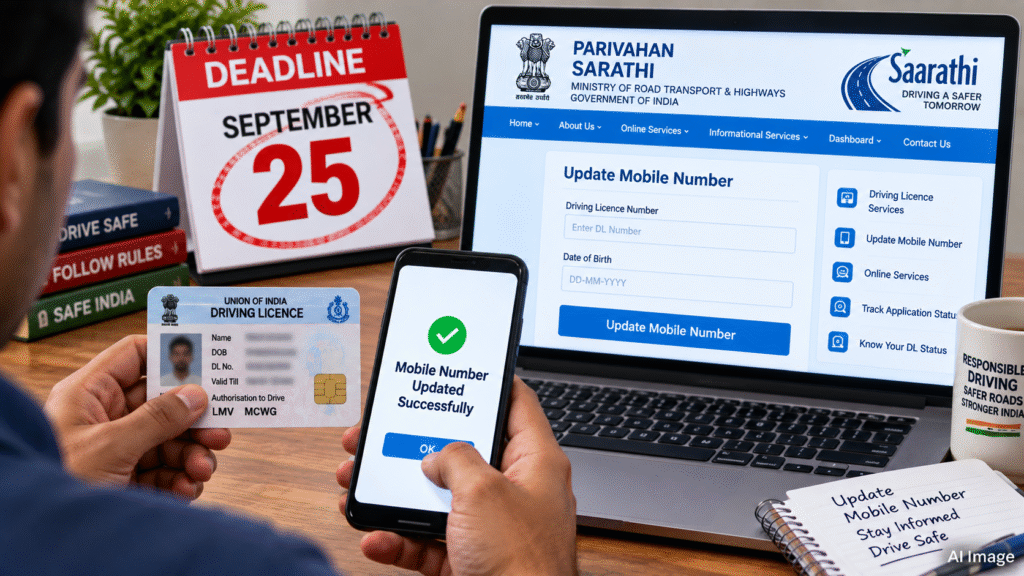
డ్రైవింగ్ లైసెన్స్దారులు తమ లైసెన్స్ రికార్డులో నమోదైన మొబైల్ నంబర్ సరైనదేనా, ప్రస్తుతం వినియోగిస్తున్న నంబరేనా అనే విషయాన్ని ఒకసారి పరిశీలించుకోవడం మంచిది. కేంద్ర రోడ్డు రవాణా, రహదారుల మంత్రిత్వ శాఖ ఆధ్వర్యంలోని పరివాహన్ వ్యవస్థలో డ్రైవింగ్ లైసెన్స్కు సంబంధించిన మొబైల్ నంబర్ను ఆన్లైన్లో అప్డేట్ చేసుకునే సదుపాయం ఉంది. Parivahan Sewa
పాత డ్రైవింగ్ లైసెన్స్ రికార్డుల్లో మొబైల్ నంబర్ లేకపోవడం లేదా ప్రస్తుతం ఉపయోగించని పాత నంబర్ నమోదై ఉండటం వల్ల డిజిటల్ రవాణా సేవలను వినియోగించే సమయంలో ఇబ్బందులు ఎదురయ్యే అవకాశం ఉంది. సరైన మొబైల్ నంబర్ నమోదు చేసుకోవడం వల్ల లైసెన్స్ సంబంధిత ఆన్లైన్ సేవలు, ఓటీపీలు, అధికారిక సమాచారాన్ని పొందడంలో ఉపయోగపడుతుంది. India Today
సారథి పరివాహన్ పోర్టల్లో ‘మొబైల్ నంబర్ అప్డేట్’ సేవను ఉపయోగించుకోవచ్చు. అధికారిక పరివాహన్ మార్గదర్శకాల ప్రకారం ముందుగా సారథి వెబ్సైట్లో సంబంధిత రాష్ట్రాన్ని ఎంచుకుని, ‘అదర్స్’ మెనూలోని మొబైల్ నంబర్ అప్డేట్ ఎంపికను ఉపయోగించాలి. Parivahan Sewa
తర్వాత డ్రైవింగ్ లైసెన్స్కు సంబంధించిన అవసరమైన వివరాలను నమోదు చేసి, ప్రస్తుతం ఉపయోగిస్తున్న మొబైల్ నంబర్ను ఇవ్వాలి. అవసరమైన ధృవీకరణ పూర్తయిన తర్వాత అప్డేట్ ప్రక్రియను పూర్తి చేయవచ్చు. రాష్ట్రాన్ని బట్టి స్క్రీన్లో కనిపించే ఎంపికలు లేదా ధృవీకరణ విధానం కొద్దిగా మారవచ్చు. Parivahan Sewa
ఇదిలా ఉండగా, సెప్టెంబర్ 25, 2026 నాటికి మొబైల్ నంబర్ అప్డేట్ చేయకపోతే దేశవ్యాప్తంగా డ్రైవింగ్ లైసెన్స్ రద్దవుతుందనే ప్రచారానికి ప్రస్తుతం అధికారిక నిర్ధారణ కనిపించలేదు. సెప్టెంబర్ 25 గడువు గురించి పలు మీడియా కథనాలు ప్రచురించినప్పటికీ, ఆ గడువు అనంతరం లైసెన్స్ ఆటోమేటిక్గా రద్దు లేదా సస్పెండ్ అవుతుందని అధికారికంగా ధృవీకరించిన సమాచారం లభించలేదు. TV9 Telugu
అందువల్ల వాహనదారులు సోషల్ మీడియా లేదా అనధికారిక వెబ్సైట్లలో వచ్చే హెచ్చరికలను మాత్రమే నమ్మకుండా, అధికారిక సారథి పరివాహన్ పోర్టల్లో తమ రికార్డును పరిశీలించడం మంచిది. మొబైల్ నంబర్ పాతదిగా ఉంటే లేదా నమోదై లేకపోతే, అందుబాటులో ఉన్న అధికారిక సేవ ద్వారా అప్డేట్ చేసుకోవచ్చు.
ఇంటి నుంచే మొబైల్ నంబర్ అప్డేట్ చేసుకోవడం ఎలా?
♦ అధికారిక సారథి పరివాహన్ వెబ్సైట్ను తెరవాలి.
♦ మీ డ్రైవింగ్ లైసెన్స్కు సంబంధించిన రాష్ట్రాన్ని ఎంచుకోవాలి.
♦ ‘అదర్స్’ మెనూలోకి వెళ్లాలి.
♦ ‘మొబైల్ నంబర్ అప్డేట్’ ఎంపికను ఎంచుకోవాలి.
♦ అడిగిన డ్రైవింగ్ లైసెన్స్ వివరాలను నమోదు చేయాలి.
♦ ప్రస్తుతం ఉపయోగిస్తున్న మొబైల్ నంబర్ను నమోదు చేయాలి.
♦ అవసరమైన ఓటీపీ/ధృవీకరణ ప్రక్రియను పూర్తి చేసి అప్డేట్ చేయాలి.
Driving licence holders should check whether the mobile number recorded against their licence is current and active. The Ministry of Road Transport and Highways provides an online facility through the Parivahan and Sarathi systems to update mobile numbers linked to driving licence records. Parivahan Sewa
Older driving licence records may not contain a mobile number, while some records may still have an old or inactive number. Keeping the correct number updated can help licence holders receive OTPs and official communications connected with online transport services. India Today
The official Sarathi Parivahan system provides a Mobile Number Update facility. According to the official Parivahan FAQ, users can visit the Sarathi website, select the concerned state and choose Mobile Number Update from the Others menu. Parivahan Sewa
Licence holders can then provide the required driving licence details and enter their current mobile number. The verification process may involve an OTP, depending on the record and applicable state-level requirements. Parivahan Sewa
However, an important clarification is required regarding the widely circulated September 25, 2026 deadline. While several recent reports have mentioned September 25 in connection with updating mobile numbers, the official material reviewed does not confirm that every driving licence without an updated mobile number will automatically be cancelled or suspended nationwide after that date. TV9 Telugu also reported that official confirmation for the cancellation claim was not found. TV9 Telugu
Licence holders should therefore rely on the official Sarathi Parivahan portal rather than social media messages or unofficial websites. If the mobile number is missing, outdated or incorrect, users can update it through the official online facility where available.
How to Update Your Mobile Number Online
Complete the required OTP or verification process and submit the update.
Open the official Sarathi Parivahan website.
Select the state connected with your driving licence.
Go to the Others menu.
Select Mobile Number Update.
Enter the required driving licence details.
Enter your current mobile number.